







Gangster City: Mafia Crime


Installs
1,000,000+Category
actionContent Rating
Rated for 12+
Screenshots
Editor's Review
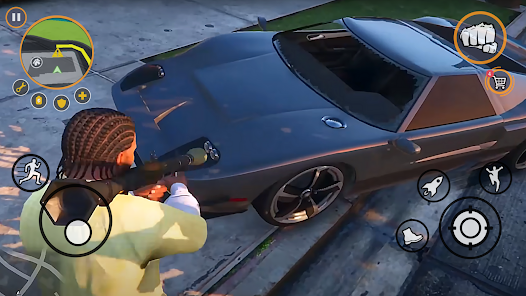
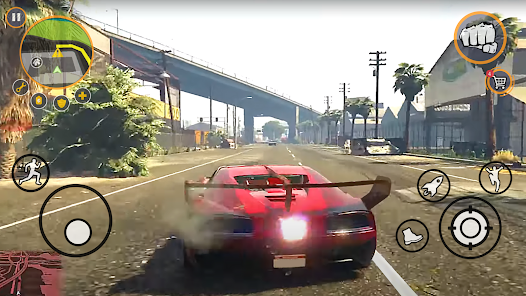
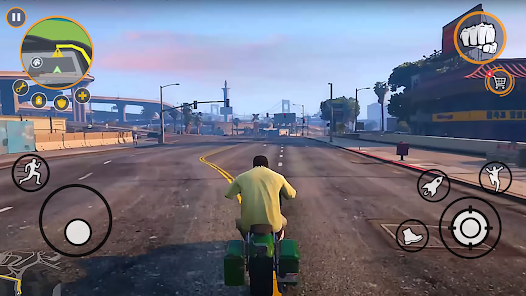
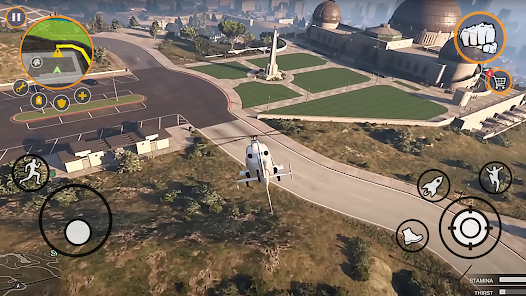
Gangster City: Mafia Crime is an action-packed mobile game where you play as a gangster building a criminal empire. The game is developed by 3D Sim Games. You start by creating your character and then jump into a big city full of crime. Learning the game is very easy. The tutorial guides you through the first missions, showing you how to drive, fight, and complete tasks. The main screen shows your map, health, and weapons. You can see missions, other players, and points of interest on the map. The interface is clean, with buttons for your car, your guns, and your gang's hideout.
The core gameplay in Gangster City: Mafia Crime involves doing missions to earn money and respect. You drive around the city in different cars to reach mission locations. The driving controls are simple: a virtual steering wheel and buttons for gas and brake. Once at a mission, you often have to shoot enemies. The shooting mechanic uses auto-aim to help you hit targets. You can also fight with your fists. As you complete missions, you earn cash and experience points. Cash lets you buy better cars, stronger guns, and cooler clothes for your character. Experience points help you level up, unlocking new areas of the city and harder missions. You can also recruit other gang members to help you in fights.
Gangster City: Mafia Crime has in-app purchases. You can buy virtual currency packs with real money to get cars and weapons faster. The game also shows ads. You will see video ads, especially when you want to get a reward or restart a mission quickly. You can download Gangster City: Mafia Crime on both the Google Play Store for Android phones and the App Store for iPhones. It is a free-to-play game, so anyone can try it. The game is fun for people who like action and driving games. Gangster City: Mafia Crime offers a lot of content without needing to spend money, but purchases can speed up your progress.
Questions You Might Have
Is Gangster City: Mafia Crime a hard game to play?
No, it is not very hard. The controls for driving and shooting are made to be simple on a touch screen. The game helps you with auto-aim during fights. The early missions teach you everything you need to know. As you play more, the missions get tougher, but you will have better weapons and cars by then.
How do I download and install the game?
Go to your phone's app store. If you have an Android phone, open the Google Play Store. If you have an iPhone, open the App Store. Search for "Gangster City: Mafia Crime" by 3D Sim Games. Tap the "Install" or "Get" button. The game will download and install on your phone. Make sure you have a good internet connection and enough storage space on your device.
Does the game have too many ads?
The game shows ads, but not too many. You will mostly see ads when you choose to watch one for a bonus reward, like extra cash. Sometimes an ad might play if you fail a mission and want to retry it immediately. The ads are usually short video ads, around 15 to 30 seconds long. They do not pop up in the middle of a mission.
Do I need to pay money to enjoy the game?
No, you do not need to pay. You can play the whole game for free. Earning money and new items takes more time if you don't pay, but it is still possible. The in-app purchases are for players who want the best cars and guns right away. You can have a lot of fun in Gangster City: Mafia Crime without spending any real money.
Can I play this game on my tablet?
Yes, you can play Gangster City: Mafia Crime on both phones and tablets. The game works on Android tablets from the Google Play Store and on iPads from the App Store. The graphics and controls adjust to fit the bigger screen. It is the same game experience, just on a larger device.
Download the App
Disclaimer
1 . Zebratests does not represent any developer, nor is it the developer of any App or game.
2 . Zebratests provide screenshots, historical version Apk, links and other information, which we collected from Google Play. We will also add our own reviews to provide users with more information to choose.
3 . All trademarks, registered trademarks, product names and company names or logos appearing on the site are the property of their respective owners.
4 . Zebratests abides by the federal Digital Millennium Copyright Act (DMCA) by responding to notices of alleged infringement that complies with the DMCA and other applicable laws.
5 . We guarantee the security of apk files downloaded from our site and also provide the official download link at Google Play Store and App Store.
6 . If you are the owner or copyright representative and want to delete your information, please contact us [email protected].
7 . All the information on this website is strictly observed all the terms and conditions of Google Ads Advertising policies and Google Unwanted Software policy.