








Township


Installs
100,000,000+Category
CasualContent Rating
Rated for 3+
Screenshots
Editor's Review
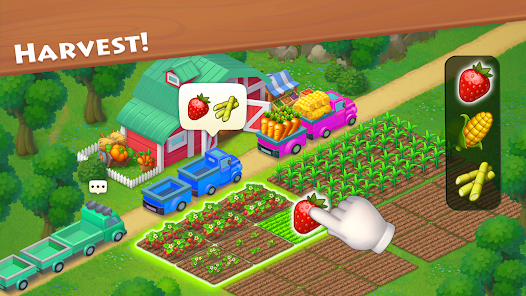
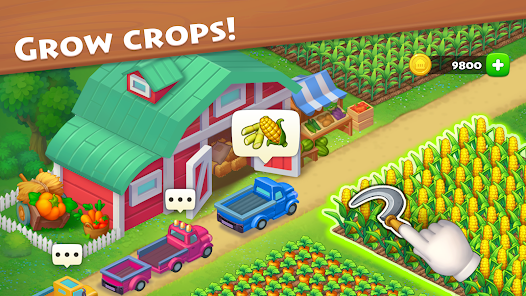
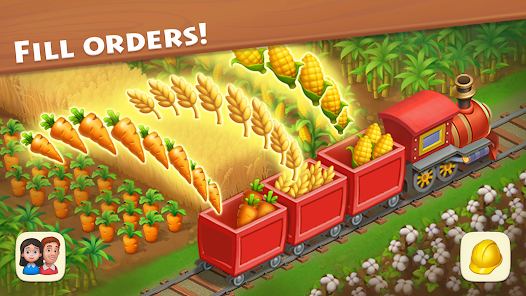
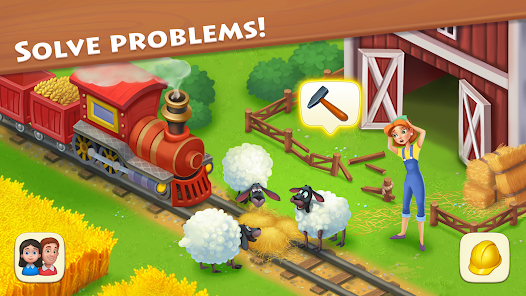
Township is a fun mobile game that mixes city building with farming. You start with a small town and a farm. Your job is to grow crops, raise animals, and make products in your factories. Then you sell these items to build more houses, decorations, and community buildings for your town. The main goal is to make your town bigger and happier by completing orders from your citizens and from visiting planes and trains. The game is very easy to learn. When you first open it, a friendly guide shows you everything step by step. You learn how to plant seeds, harvest crops, and feed your animals. The tutorial is clear and you can play at your own speed. The controls are simple taps and swipes. Even if you have never played a game like this before, you will understand it quickly. The game does a great job of teaching you without being confusing.
The game screen is colorful and well-organized. At the bottom, you see icons for your farm fields, factories, and town buildings. Tapping an icon shows you what you can build or do. Your town is in the center of the screen. You can zoom in and out and move around to see everything. A menu on the side lets you check your orders, visit friends' towns, and see your progress. The key part of the game is the production chain. First, you plant wheat or corn on your farm fields. After a few minutes, it grows and you can harvest it. Then, you take that wheat to a building like the Feed Mill. The mill turns the wheat into chicken feed. You then take that feed to your chicken coop. The chickens eat the feed and after some time, they produce eggs. You can sell the eggs for coins or use them to make cakes in another factory. This chain connects everything in the game. You are always planning what to grow next to keep your factories running.
Township has many items and systems. You have different factories like a bakery, dairy, and sugar factory. Each one makes unique products. You also have community buildings like a school, cinema, and zoo. Building these makes your town population grow. The game uses two main currencies: coins and cash. You earn coins by selling goods and completing orders. You use coins to buy most buildings and items. Cash is a premium currency that is harder to get for free. You can use it to speed up production or buy special decorations. Yes, Township does have in-app purchases. You can buy packages of cash and coins with real money. These purchases are optional. You can play and enjoy the whole game without spending any money, but progress will be slower. The game also shows ads, but only if you choose to watch them. You can tap a button to watch a short video ad in exchange for free cash or other rewards. You are never forced to watch ads during normal play. Township is available to play on both the Google Play Store for Android phones and the App Store for iPhones and iPads. You can download it for free from either store.
Questions You Might Have
Is Township a hard game to play?
No, Township is not a hard game. It is designed to be relaxing and fun. The beginning tutorial teaches you all the basics. The game is more about planning and patience than quick reactions or difficult puzzles. You might need to think about what crops to plant first to keep your factories busy, but it is not stressful. There are no time limits on most tasks, so you can play calmly. The difficulty comes from managing many different production chains at once as your town gets bigger, but the game introduces new things slowly so you are never overwhelmed.
How do I get more coins in Township?
You get more coins mainly by filling orders. Send off completed helicopters, planes, and trains to earn coins and experience points. Selling extra goods directly from your barn is another way. Always keep your factories working and try to have a good stock of popular items like bread and cheese. Participating in regatta events with your co-op can also give you big coin rewards. Be careful not to spend coins too quickly on decorations; save them for important factories and community buildings first to help your town grow faster.
Can I play Township without an internet connection?
You need an internet connection to play Township most of the time. The game must connect to its servers to save your progress, let you visit friends' towns, and participate in events like the regatta. If you try to play without the internet, you will likely get an error message. However, sometimes you can do very basic things like harvest crops that are already grown, but you cannot start new production or send orders. For full gameplay, a stable internet connection is required.
Are the in-app purchases in Township necessary to win?
No, the in-app purchases are not necessary to win or enjoy Township. The game is completely free to play. You can earn cash, the premium currency, slowly by leveling up, watching optional ads, and completing achievements. Spending real money lets you progress faster by buying more cash to speed up buildings or get rare items, but it does not give you a special advantage that free players cannot get with time and good planning. Many players enjoy the game for years without ever making a purchase.
What is the difference between coins and cash in the game?
Coins and cash are the two currencies in Township. Coins are the common money. You use them for almost everything: to build new factories, community buildings, houses, and to buy some decorations. You earn coins easily by selling goods and completing orders. Cash is the special, premium currency. It is much harder to get for free. You use cash to buy unique decorations, speed up construction or production instantly, and sometimes to purchase more market boxes. You get small amounts of cash for free by leveling up. The main way to get a lot of cash is through optional in-app purchases with real money.
Download the App
Disclaimer
1 . Zebratests does not represent any developer, nor is it the developer of any App or game.
2 . Zebratests provide screenshots, historical version Apk, links and other information, which we collected from Google Play. We will also add our own reviews to provide users with more information to choose.
3 . All trademarks, registered trademarks, product names and company names or logos appearing on the site are the property of their respective owners.
4 . Zebratests abides by the federal Digital Millennium Copyright Act (DMCA) by responding to notices of alleged infringement that complies with the DMCA and other applicable laws.
5 . We guarantee the security of apk files downloaded from our site and also provide the official download link at Google Play Store and App Store.
6 . If you are the owner or copyright representative and want to delete your information, please contact us [email protected].
7 . All the information on this website is strictly observed all the terms and conditions of Google Ads Advertising policies and Google Unwanted Software policy.