











Grow a Garden

Installs
10K+Category
AdventureContent Rating
Everyone
Screenshots
Editor's Review
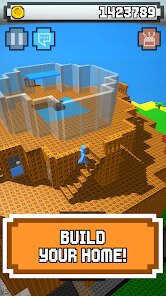
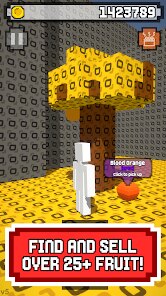
Grow a Garden is a relaxing mobile farming game where you plant seeds, water crops, and watch your garden come to life. The game is developed by Forager Games and offers a simple, calming experience perfect for short play sessions. You start with a small plot of land and a few basic seeds. The controls are very easy to learn; you just tap to plant, tap to water, and tap to harvest your plants when they are fully grown. The main screen shows your garden plot clearly, with icons at the bottom for your seed inventory, your tool shed, and the in-game shop. The colors are bright and cheerful, making it a pleasant visual experience. The game focuses on the slow, satisfying cycle of growth without any stressful time limits or complex goals. It's a great way to unwind.
The main mechanics of Grow a Garden revolve around the growth cycle of your plants. Each seed type has a different growth time, from quick-growing flowers to slower vegetables. You need to remember to water your plants; a dry soil icon will appear above crops that need attention. As you harvest plants, you earn coins and experience points. Leveling up unlocks new seed types, decorative items for your garden like fences and statues, and sometimes new tools. Tools include a better watering can that waters multiple squares at once. There is a day and night cycle in the game, and some rare plants may only bloom at certain times. You can also cross-pollinate flowers by planting them next to each other to discover new hybrid varieties, which adds a fun collecting element.
Grow a Garden is free to download and play. The game does contain in-app purchases. You can buy packs of special gems with real money. These gems can be used to buy exclusive decorative items or to speed up plant growth if you don't want to wait. The game also shows ads. You will see a short video ad after every few harvests, and there is a banner ad at the bottom of the screen. You can remove all ads with a one-time purchase. Grow a Garden is available on both major mobile platforms. You can download it from the Google Play Store for Android devices and from the Apple App Store for iPhones and iPads. The experience is nearly identical on both platforms.
Questions You Might Have
Is Grow a Garden hard to play?
No, Grow a Garden is not hard at all. It is designed to be very simple and relaxing. The tutorial shows you exactly what to do: tap to plant, tap to water, and tap to harvest. There are no complicated combos or difficult challenges. The game is more about patience and watching your garden grow than about skill or fast reactions. It's perfect for players of all ages who want a calm, stress-free game.
What can I do in the game besides planting?
Besides basic planting, you can decorate your garden. Use coins you earn to buy paths, fountains, benches, and cute animal statues. You can also try flower cross-breeding. Plant different flowers next to each other and see if a new, rare hybrid grows. There's a collection book to fill with all the plants you discover. You can also complete small, optional tasks like "harvest 10 carrots" to earn bonus rewards.
Are the ads in Grow a Garden very annoying?
The ads are fairly standard for a free mobile game. You will see a short video ad (about 15-30 seconds) after every third or fourth harvest. There is also a small, non-moving banner ad at the very bottom of your screen during gameplay. The ads are not overly intrusive, but they do interrupt the peaceful flow occasionally. If you find them bothersome, you can pay a single fee to remove ads forever.
Do I need to spend money to enjoy the game?
No, you do not need to spend money. You can progress and unlock everything just by playing regularly. The in-app purchases are for gems, which let you buy special cosmetic items or skip waiting times. All core gameplay features, seeds, and tools are unlockable through normal play by earning coins and leveling up. Spending money is only for convenience or extra decoration.
Where can I download Grow a Garden?
You can download Grow a Garden on both Android and Apple phones and tablets. If you have an Android device, go to the Google Play Store and search for "Grow a Garden" by Forager Games. If you have an iPhone or iPad, go to the App Store and search for the same name. Make sure the developer is listed as Forager Games to get the correct game. The download is free.
Download the App
Disclaimer
1 . Zebratests does not represent any developer, nor is it the developer of any App or game.
2 . Zebratests provide screenshots, historical version Apk, links and other information, which we collected from Google Play. We will also add our own reviews to provide users with more information to choose.
3 . All trademarks, registered trademarks, product names and company names or logos appearing on the site are the property of their respective owners.
4 . Zebratests abides by the federal Digital Millennium Copyright Act (DMCA) by responding to notices of alleged infringement that complies with the DMCA and other applicable laws.
5 . We guarantee the security of apk files downloaded from our site and also provide the official download link at Google Play Store and App Store.
6 . If you are the owner or copyright representative and want to delete your information, please contact us [email protected].
7 . All the information on this website is strictly observed all the terms and conditions of Google Ads Advertising policies and Google Unwanted Software policy.