



Block Craft 3D:Building Game


Installs
500M+Category
OfflineContent Rating
Teen
Screenshots
Editor's Review
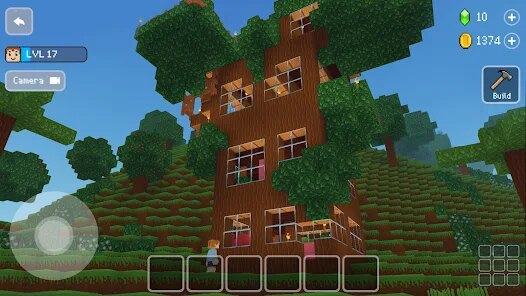
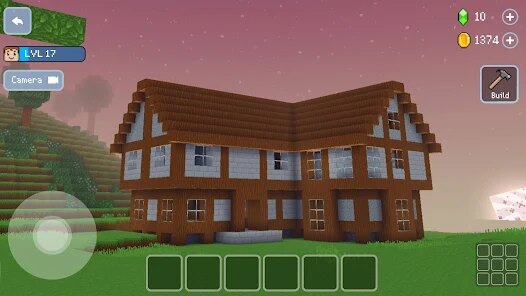
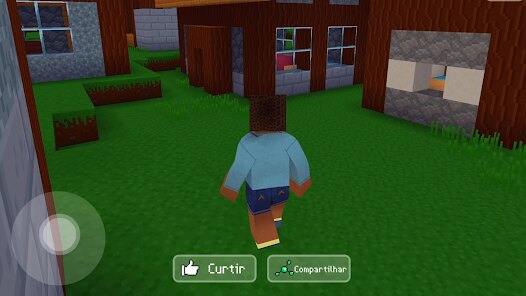
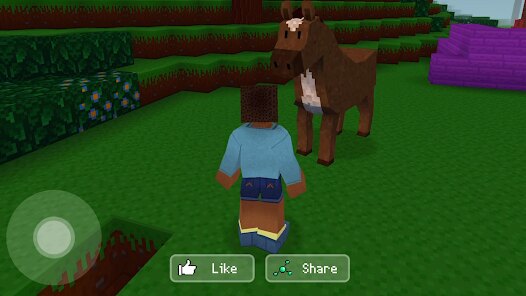
Block Craft 3D: Building Game is a fun and creative mobile game where you can build anything you imagine. It is like a digital version of playing with building blocks. The game is made by Fun Games For Free. In Block Craft 3D, you start on a big, empty piece of land. Your job is to create your own town. You can build houses, shops, farms, and even castles. The game uses a simple block system. Everything you make is built one block at a time, which makes it easy to control. You can choose from many different types of blocks, like wood, stone, glass, and colorful bricks. This lets you design buildings that look just the way you want.
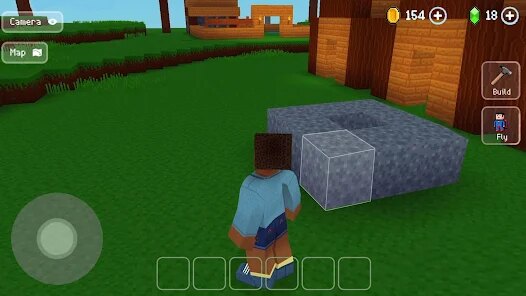
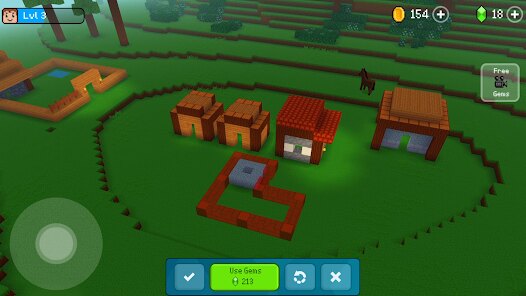
Getting started with Block Craft 3D is very easy. When you open the game, a friendly tutorial shows you what to do. It teaches you how to move around, how to place blocks, and how to use your tools. The controls are simple. You use a virtual joystick on the screen to walk or fly. To build, you just tap where you want to put a block. The main screen shows your world. You have a menu at the bottom with all your building blocks and items. There is also a menu for managing your town, like adding new animals or trees. A key game mechanic is gathering resources. You can mine trees for wood and dig the ground for stone. You use these materials to craft more blocks and items. Another important part is keeping your town's people, called villagers, happy. You build houses for them to live in and buildings like bakeries for them to work.
Block Craft 3D has in-game items like different block types, furniture for houses, animals, and decorative plants. You can get special items like a helicopter to fly faster. The game does have in-app purchases. You can buy packs of gems with real money. Gems let you buy special blocks and items quickly. The game also shows ads. You will see video ads sometimes, especially if you want to get free gems or speed up some tasks. You can play Block Craft 3D on both major platforms. It is available for free download on the Google Play Store for Android phones and on the App Store for iPhones and iPads. This makes Block Craft 3D easy for almost anyone to try and enjoy.
Questions You Might Have
Is Block Craft 3D hard to play for beginners?
No, Block Craft 3D is not hard for beginners. The game has a very good tutorial that guides you step-by-step. The controls for moving and placing blocks are simple to learn. You build things one block at a time, so you can go as slow as you want. There are no complicated rules to remember at the start. It is designed to be easy and fun for players of all ages, especially if you like being creative.
What can you actually build in the game?
In Block Craft 3D, you can build almost anything you can think of. Most players start by building houses, hotels, and swimming pools for their town. You can also build big castles, modern skyscrapers, farms with animals, and entire city streets. The game gives you lots of different block types and colors, so you can make your creations look unique. There is no limit to how big or detailed your buildings can be.
How do you get more blocks and items without paying?
You can get more blocks and items without paying by playing the game. You gather basic resources like wood and stone by mining trees and the ground. You then use a crafting menu to turn these resources into new blocks. You also earn free gems by completing small tasks and achievements in the game. Watching optional video ads will reward you with gems too. These gems can be used to buy the special blocks and items that are usually for sale.
Are the ads in Block Craft 3D very annoying?
The ads are usually not too annoying. You mostly see them when you choose to, like if you want a reward of free gems. Sometimes a short video ad will play after you finish a big building. The ads do not pop up constantly while you are trying to build or explore. You can play for a long time without being interrupted by an ad if you do not choose to watch one for a reward.
Can I play my world on both my phone and tablet?
Yes, you can play your world on different devices, but you need to use a cloud save feature. First, make sure you are logged into your Google Play Games account on Android or your Game Center account on Apple devices. Then, inside Block Craft 3D settings, find the save/load button. Upload your world to the cloud from your old device. On your new device, download that save from the cloud. This way, you can continue building the same town on your phone and your tablet.
Download Apk File
Disclaimer
1 . Zebratests does not represent any developer, nor is it the developer of any App or game.
2 . Zebratests provide screenshots, historical version Apk, links and other information, which we collected from Google Play. We will also add our own reviews to provide users with more information to choose.
3 . All trademarks, registered trademarks, product names and company names or logos appearing on the site are the property of their respective owners.
4 . Zebratests abides by the federal Digital Millennium Copyright Act (DMCA) by responding to notices of alleged infringement that complies with the DMCA and other applicable laws.
5 . We guarantee the security of apk files downloaded from our site and also provide the official download link at Google Play Store and App Store.
6 . If you are the owner or copyright representative and want to delete your information, please contact us [email protected].
7 . All the information on this website is strictly observed all the terms and conditions of Google Ads Advertising policies and Google Unwanted Software policy.