






Gun Sounds : Gun Simulator


Installs
10M+Category
OfflineContent Rating
Everyone 10+
Screenshots

Editor's Review
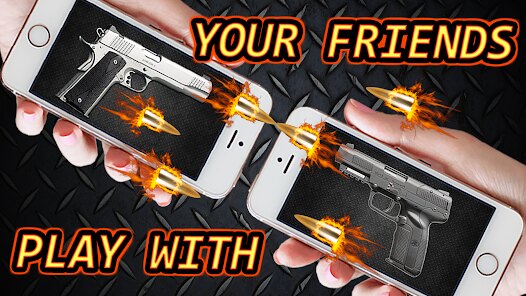
Gun Sounds: Gun Simulator is a simple mobile game that lets you play with virtual guns. You can tap the screen to fire different weapons, hear their sounds, and see animations. The game is very easy to start. When you open Gun Sounds: Gun Simulator, you see a main menu with a list of guns. You just tap on a gun's name to select it. Then, you go to a screen that shows that gun. To fire it, you tap anywhere on the screen. The game makes a shooting sound and shows a recoil animation. The interface is clean. The main screen has buttons for the gun list, settings, and sometimes ads. The firing screen is just the gun image and your finger. There are no complex controls to learn.
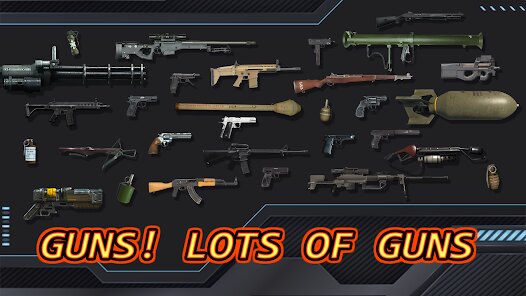
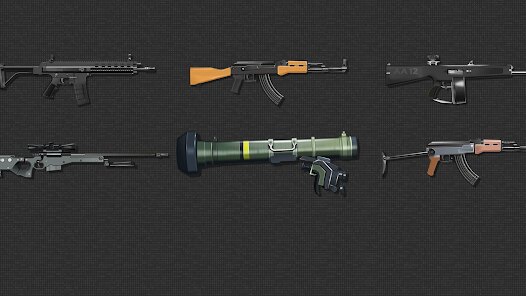
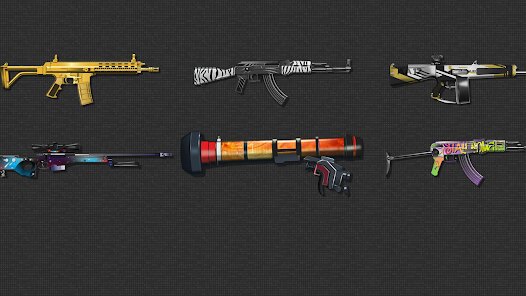
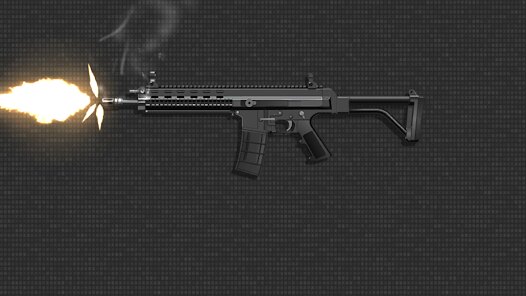
The main mechanic in Gun Sounds: Gun Simulator is tapping to shoot. Each gun has its own unique sound effect. Some guns, like pistols, make a small 'pop' sound. Bigger guns, like shotguns or rifles, make much louder 'boom' sounds. The game also has a recoil effect. When you tap, the gun image moves back slightly to mimic kickback. You can switch guns easily by going back to the list. Some versions of the game let you reload by tapping a button. The game focuses on sound and simple visual feedback. There are no enemies or targets to hit. It is just for fun and to hear the sounds. The game includes many items. You get a large collection of guns to try. These range from historic revolvers to modern assault rifles. Some games in this genre have tools, like scopes or silencers, you can add to the gun. Gun Sounds: Gun Simulator might let you change the gun's skin or color. The core item is the sound library for each weapon.
Gun Sounds: Gun Simulator typically has in-app purchases. You can often buy coins or gems to unlock premium guns faster. Sometimes, you can pay to remove ads. The game usually contains ads. You might see banner ads at the bottom of the screen or full-screen video ads that play between gun selections. These ads support the free game. You can find Gun Sounds: Gun Simulator on both major app stores. It is available for download on Google Play for Android phones and tablets. It is also available on the App Store for iPhones and iPads. You just search for "Gun Sounds: Gun Simulator" in either store. The game is free to install and play, which makes it easy for anyone to try the different gun sounds in Gun Sounds: Gun Simulator.
Questions You Might Have
Is Gun Sounds: Gun Simulator hard to play?
No, it is one of the easiest games. You just tap the screen. There are no levels to beat, no scores to achieve, and no time limits. It is designed for simple, stress-free fun. Anyone can play it, even young children, as it only involves tapping to hear sounds.
How many guns are in the game?
Gun Sounds: Gun Simulator usually has a large collection. You can often find dozens of different guns. The list includes handguns, sniper rifles, machine guns, and shotguns. New guns are sometimes added in updates. You start with a few unlocked and can get more by watching ads or using in-game currency.
Does the game have annoying ads?
The free version does have ads. You will likely see banner ads on the menu screens. Sometimes, a full-screen video ad plays after you switch guns a few times. These ads can be interrupted if you pay for a premium version. The ads are standard for free mobile games.
Can I play it without spending money?
Yes, absolutely. Gun Sounds: Gun Simulator is free to download and play. You can access all the core tapping and sound features without paying. Spending money usually just lets you unlock guns faster or removes ads. You do not need to buy anything to enjoy the basic simulator.
Is it available for iPhone?
Yes, you can get Gun Sounds: Gun Simulator on iPhone. Search for it in the Apple App Store. It will work on iPhones and iPads. The game is also on the Google Play Store for Android devices. So, most phone users can download and play it.
Download the App
Disclaimer
1 . Zebratests does not represent any developer, nor is it the developer of any App or game.
2 . Zebratests provide screenshots, historical version Apk, links and other information, which we collected from Google Play. We will also add our own reviews to provide users with more information to choose.
3 . All trademarks, registered trademarks, product names and company names or logos appearing on the site are the property of their respective owners.
4 . Zebratests abides by the federal Digital Millennium Copyright Act (DMCA) by responding to notices of alleged infringement that complies with the DMCA and other applicable laws.
5 . We guarantee the security of apk files downloaded from our site and also provide the official download link at Google Play Store and App Store.
6 . If you are the owner or copyright representative and want to delete your information, please contact us [email protected].
7 . All the information on this website is strictly observed all the terms and conditions of Google Ads Advertising policies and Google Unwanted Software policy.