










DIY Coloring: Pixel Art Number


Installs
500K+Category
PuzzleContent Rating
Everyone
Screenshots


Editor's Review
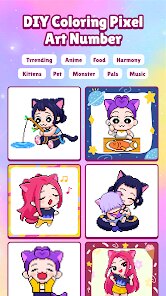
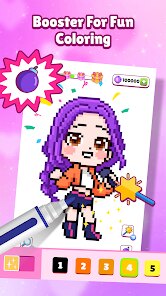
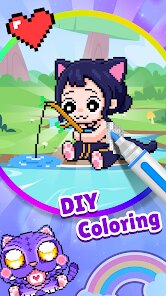
DIY Coloring: Pixel Art Number is a relaxing coloring game for mobile phones. The game is very simple to play. You see a picture made of many small squares. Each square has a number. You tap the color at the bottom of the screen, then tap the squares with the matching number. As you tap, the squares fill with color. Slowly, the whole picture becomes a beautiful, colorful piece of art. The game is perfect for when you want to relax and not think too hard. It feels good to watch the picture come to life. The controls are easy. You just tap with one finger. There is no timer, so you can take your time. The music is calm and nice. This makes DIY Coloring: Pixel Art Number a very peaceful game to play.
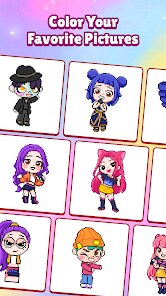
Getting started with DIY Coloring: Pixel Art Number is very easy. When you open the game, you see many picture choices. You can pick animals, food, flowers, or cute characters. After you choose a picture, you see the coloring screen. The picture is made of many numbered pixels. A color palette is at the bottom. You choose a color, then tap all the pixels with the same number. The game automatically fills them. You don't need to stay inside lines. The main game screen is clean. You see your picture in the middle. Your colors are at the bottom. A menu button is in the corner. You can save your finished art to your phone's photo gallery. You can also share it with friends. The game saves your progress. You can stop and come back later.
DIY Coloring: Pixel Art Number has simple mechanics. The core activity is matching numbers to colors. Each picture has a guide showing which number gets which color. You don't have to guess. This makes it stress-free. The game has many pictures to color. New pictures are added sometimes. There are no complex items or tools. You just have your colors. The game does have in-app purchases. You can buy more picture packs. Some special picture collections cost money. The game also has ads. You will see video ads, especially when you finish a picture or want a reward. You can sometimes get extra colors by watching an ad. DIY Coloring: Pixel Art Number is available for download on both the Google Play Store for Android phones and the Apple App Store for iPhones.
Questions You Might Have
Is DIY Coloring: Pixel Art Number hard to play?
No, it is very easy. You just tap colors and then tap numbered squares. There is no skill needed. It is made for relaxation, not challenge. Anyone can play it, kids or adults.
Are there enough pictures in DIY Coloring: Pixel Art Number?
Yes, the game starts with many free pictures. They are in categories like nature and animals. More pictures are added through updates. You can also buy extra packs if you want more variety.
How do I download DIY Coloring: Pixel Art Number?
You can get it from your phone's app store. If you have an Android phone, go to the Google Play Store. If you have an iPhone, go to the Apple App Store. Search for "DIY Coloring: Pixel Art Number" and tap install.
Does DIY Coloring: Pixel Art Number have too many ads?
The game shows ads, but not constantly. You mainly see a short video ad after you finish a coloring page. Sometimes an ad plays when you open a new picture. You can choose to watch ads for bonus colors.
Do I need to pay to enjoy DIY Coloring: Pixel Art Number?
No, you do not need to pay. The free version has lots of pictures. Paying is only if you want special picture packs. The main gameplay of coloring is completely free. The in-app purchases are optional.
Download Apk File
Disclaimer
1 . Zebratests does not represent any developer, nor is it the developer of any App or game.
2 . Zebratests provide screenshots, historical version Apk, links and other information, which we collected from Google Play. We will also add our own reviews to provide users with more information to choose.
3 . All trademarks, registered trademarks, product names and company names or logos appearing on the site are the property of their respective owners.
4 . Zebratests abides by the federal Digital Millennium Copyright Act (DMCA) by responding to notices of alleged infringement that complies with the DMCA and other applicable laws.
5 . We guarantee the security of apk files downloaded from our site and also provide the official download link at Google Play Store and App Store.
6 . If you are the owner or copyright representative and want to delete your information, please contact us [email protected].
7 . All the information on this website is strictly observed all the terms and conditions of Google Ads Advertising policies and Google Unwanted Software policy.